Users & groups
Access in the repository is controlled by accounts (called EPeople) and the groups they belong to. Groups are bound to collections and workflow steps, so adding someone to the right group is how you grant submit, review, or admin rights. This page is about granting those rights; for the account itself (find, edit, reset, suspend) see Manage user accounts.
How access works
A registered account can do nothing privileged on its own. Each group is wired to one or more collections and workflow steps:
- A Submitters group on a collection → its members can deposit into that collection.
- A Reviewers group on a collection → its members can accept or reject submissions.
- The RIC_Administrator group → academic-collection authority for the RIC across the
tree (the older name
Editors_RICresolves to this same group). - The Administrator group → full site administration.
So granting a right is almost always the same motion: put the person in the group that carries that right.
The key groups
| Group | What it grants |
|---|---|
| Administrator | Full site administration. |
| RIC_Administrator | Academic-collection authority for the RIC — bound as the reviewer (approve / edit / reject / return) on all 246 academic collections. Editors_RIC resolves here. |
| Pilot_Submitters | Submit rights for the 50-thesis pilot (the uploader account). |
| Faculty reviewer groups | Per-faculty review rights (e.g. Computing_Reviewers, Journalism_Reviewers). |
| Per-collection role groups | Auto-named COLLECTION_<uuid>_SUBMIT / _WORKFLOW_ROLE_*. DSpace creates and names these itself when you assign a role on a collection — don't rename them. |
The RIC's authority was wired in as workflow-role bindings across all 246 academic collections, plus container-admin on 17 communities. University Collections is deliberately excluded — it stays administrator-only.
Two naming gotchas
- Some reviewer groups kept their bootstrap names after the faculties were renamed (Computing & ICT → Faculty of ICT; Journalism & Media → Media Arts). The mismatch is expected.
- A planned Reviewer → Coordinator rename is parked pending RIC's Research Policy; the function already works under the current names.
Add a user to a specific group
You can add someone from either side — the group or the person. Working from the group is the most direct:
- Open Admin sidebar → Access Control → Groups.
- Find and open the group you want (for example a faculty reviewer group, or
Pilot_Submitters). - Under Add EPeople, search for the person by name or email.
-
Click the green + next to them. They appear under Current Members immediately; the red bin removes them again.
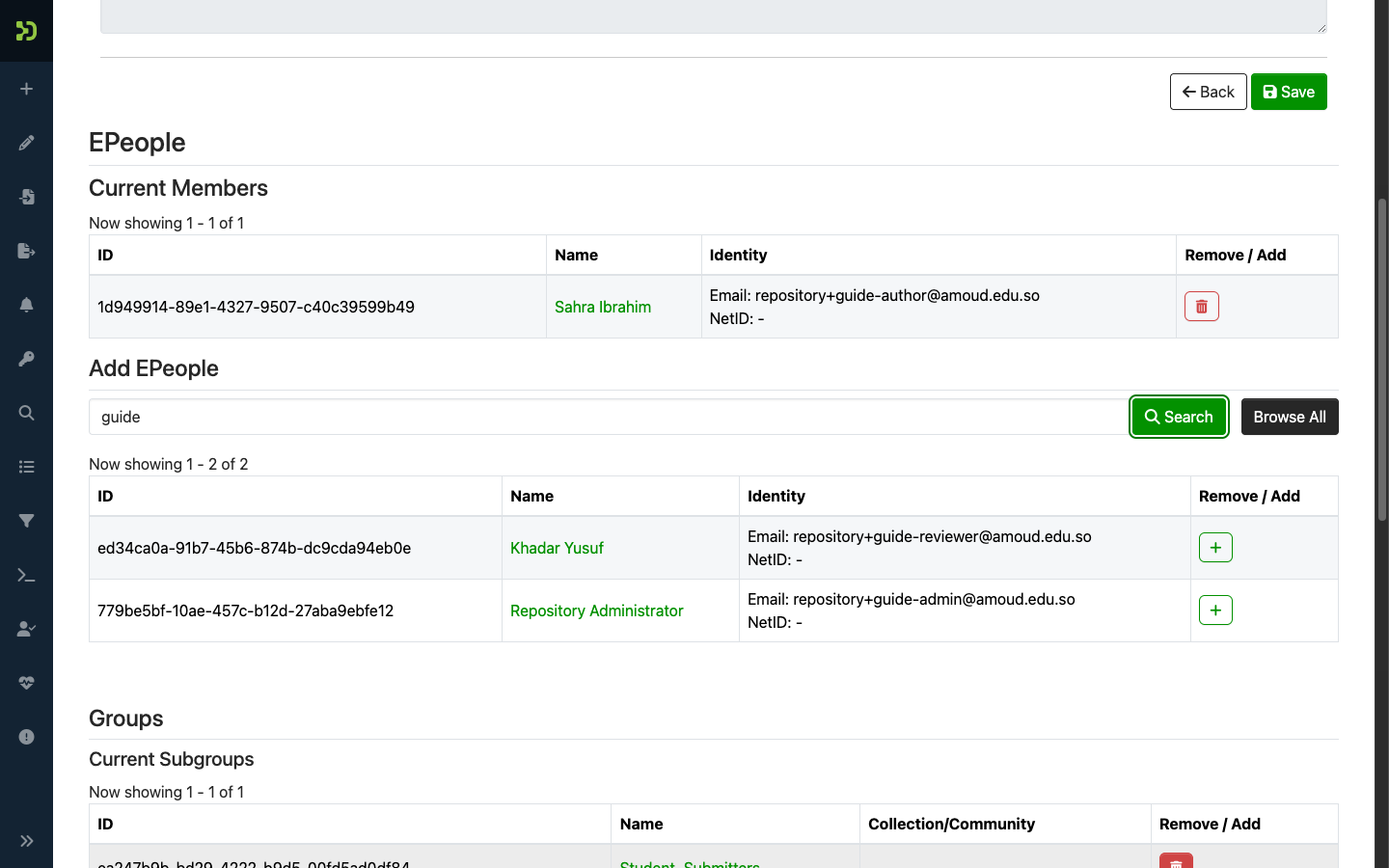
From the person instead
On a brand-new account you can go the other way: open the person in Manage user accounts, and use Add to groups in the Member of these groups section. Same result.
Elevate a user to a submitter
"Letting someone deposit" means putting them in a Submitters group. There are two ways, depending on scope:
A. For one collection (most common). Grant submit rights on a single collection:
- Open the collection → Edit → Assign Roles.
- Find the Submitters role. If it has no group yet, click Create; otherwise open the existing group.
-
In the group's Add EPeople, search the person and click +.
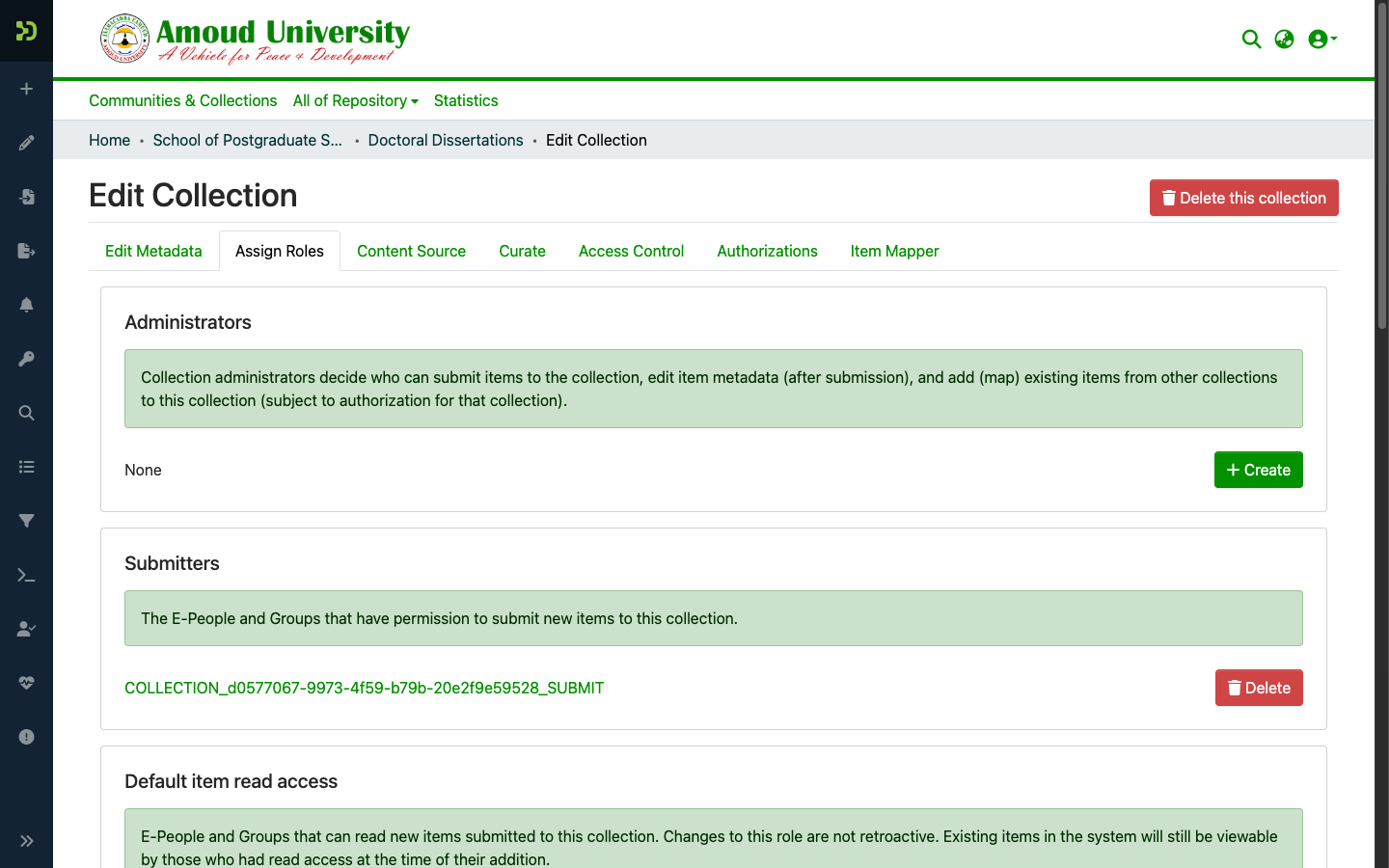
DSpace stores this as an auto-named group like
COLLECTION_<uuid>_SUBMIT— that long name is normal, and the Community/Collection column tells you which collection it unlocks.
B. For the pilot. To grant the standard 50-thesis pilot submit right, add the person to
the Pilot_Submitters group instead (Access Control → Groups → Pilot_Submitters),
using the same Add EPeople search shown above.
Registering is not submitting
Until you do this, a registered user sees no "New submission" option. That is working as designed — see Before you start.
Grant review or admin rights
Same motion, different group:
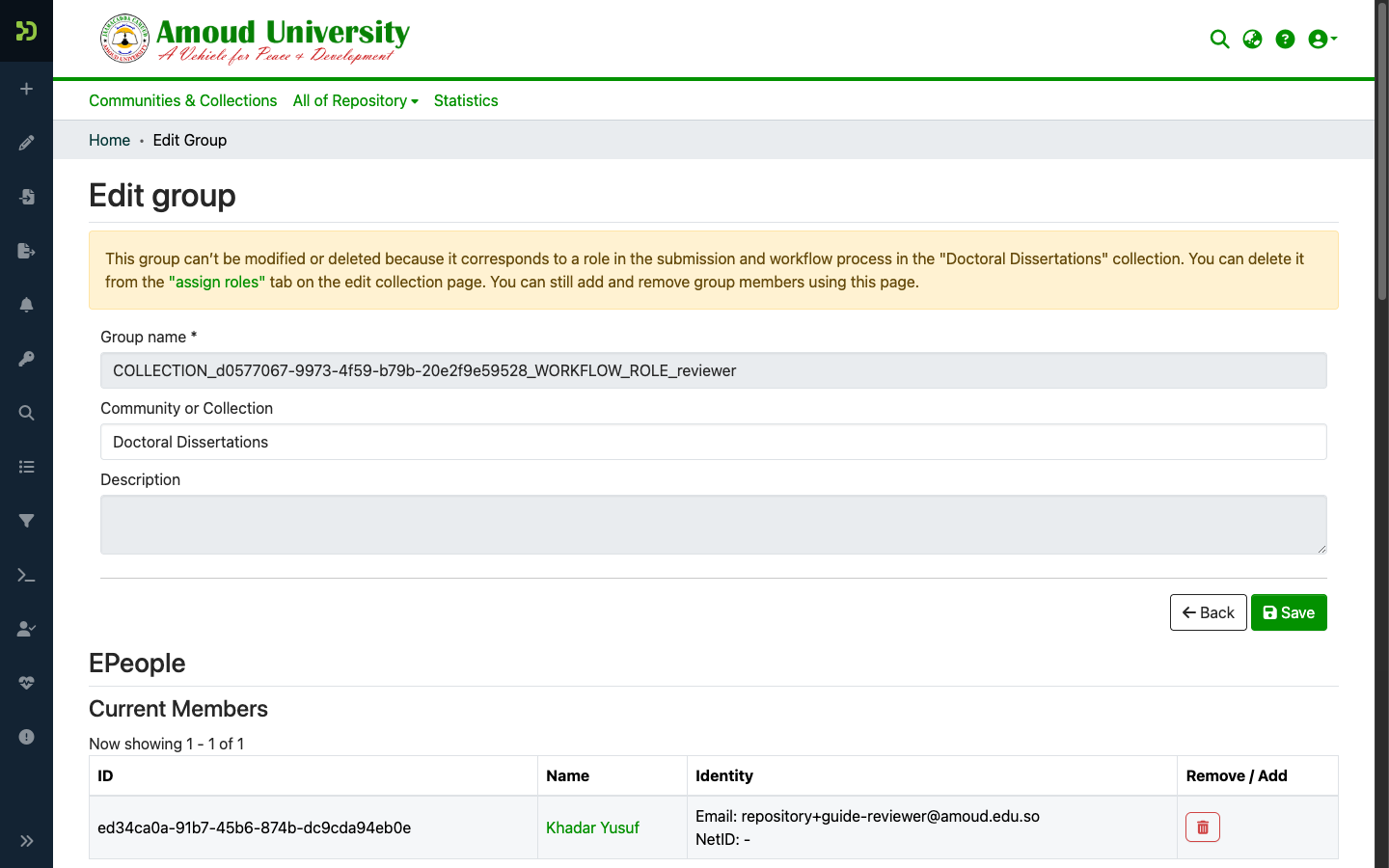
- Reviewer — add the person to the collection's/faculty's Reviewers group (Assign Roles → Reviewers, or the named faculty reviewer group). They then see items in their workflow queue.
- RIC authority — add to
RIC_Administratorfor academic-collection editing and final approval. - Site administrator — add to
Administrator. Grant this sparingly.
Keep submit and approve separate
The same person should not both upload and approve the same items. The pilot enforces
this with two accounts — one in Pilot_Submitters, a different one in
RIC_Administrator. Preserve that separation.