Files & deposit licence
After describing the work, you upload the file(s) and accept the deposit licence. This is the last step before the item goes for review.
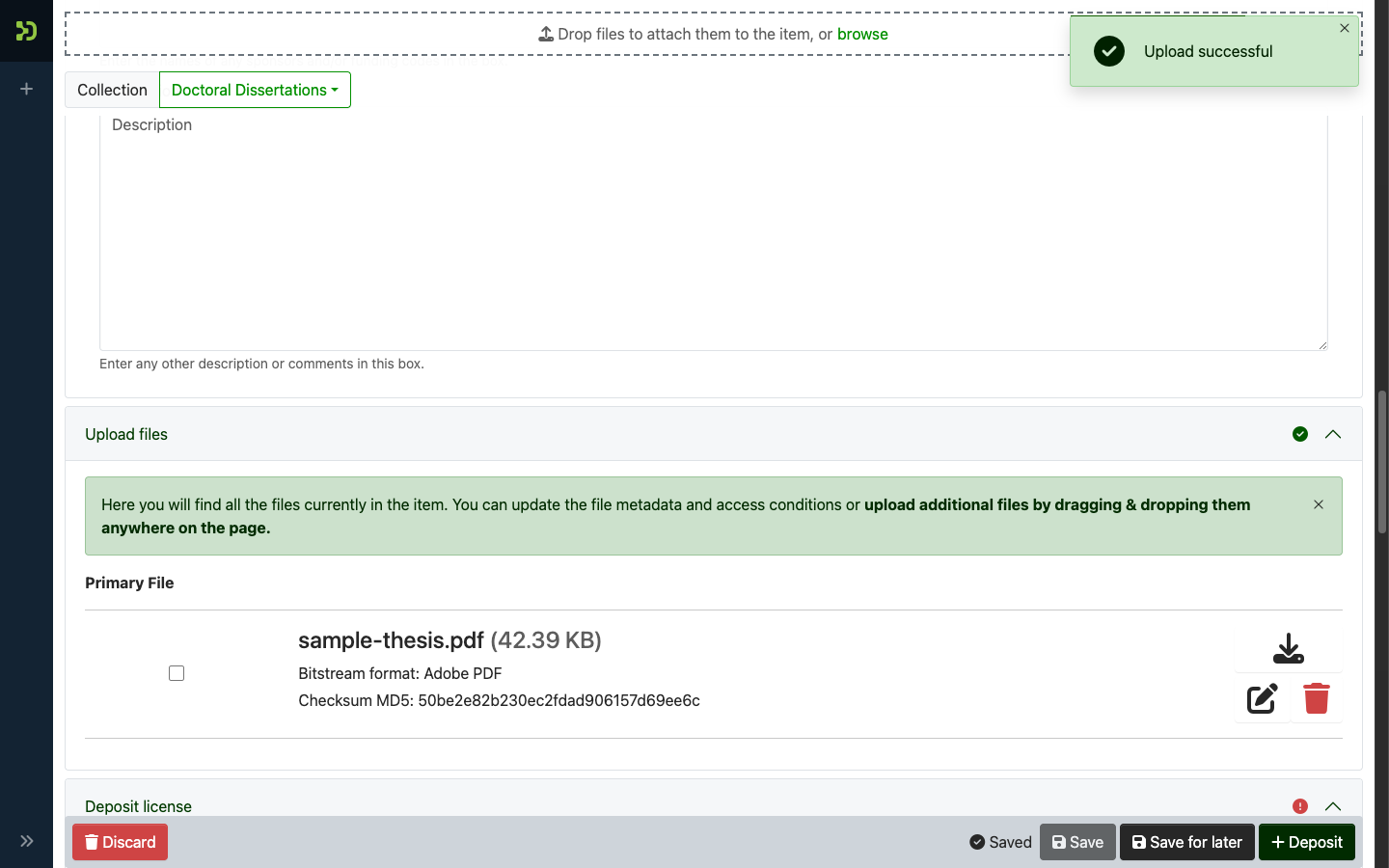
Upload your file
- Go to the Upload files section of the submission.
- Drag your PDF onto the upload area, or click to browse for it.
-
Wait for the upload to finish, then add an optional description for the file (for example, "Full text" or "Appendix A").
Upload only a version you may share
Don't upload a publisher's PDF unless you're sure it may be shared publicly. When in doubt, upload the author's Accepted Manuscript. The reviewer checks this at the copyright gate, and an item with the wrong file will be returned to you.
Need to keep the file closed for now?
Set an embargo (in the metadata) or restrict access on the file if the full text must stay private until a date — the record stays public, the PDF unlocks later.
Accept the deposit licence
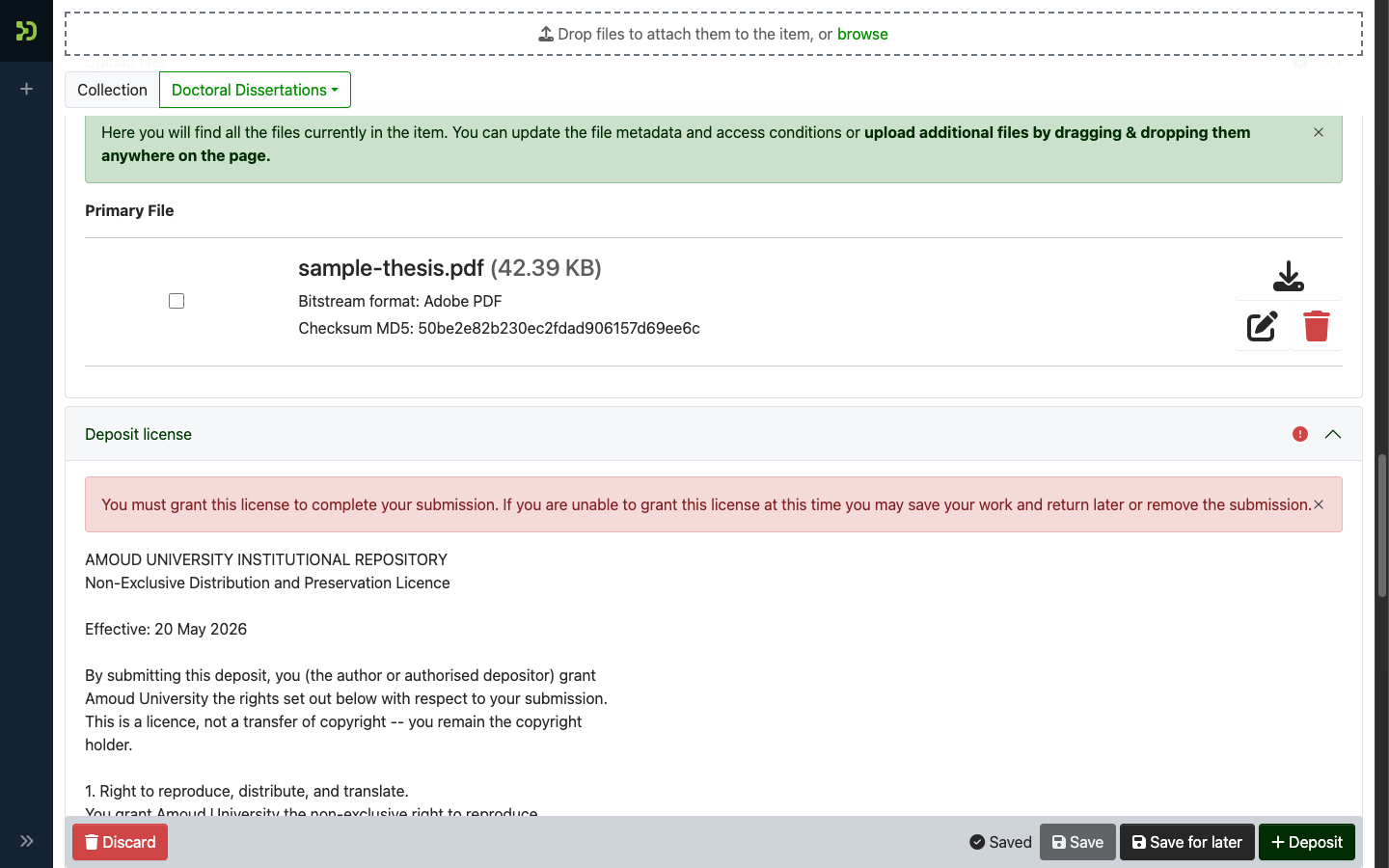
- Open the Deposit licence section.
- Read the licence — it confirms you have the right to deposit the work and grants the repository permission to store and display it.
-
Tick the box to accept it.
Deposit
Click Deposit to send the item for review.
Depositing is not publishing
Your item now enters the review queue — it is not public yet, and no DOI or ARK is created at this point. Identifiers are minted only when a reviewer approves it. See After you submit.