The metadata form
The Describe section is where you tell the repository about your work. Good metadata is what makes an item findable and correctly cited, so it's worth a few careful minutes.
Required fields are marked
Fields with a marker (usually *) must be filled in before you can deposit. The form
won't let you finish until they're complete.
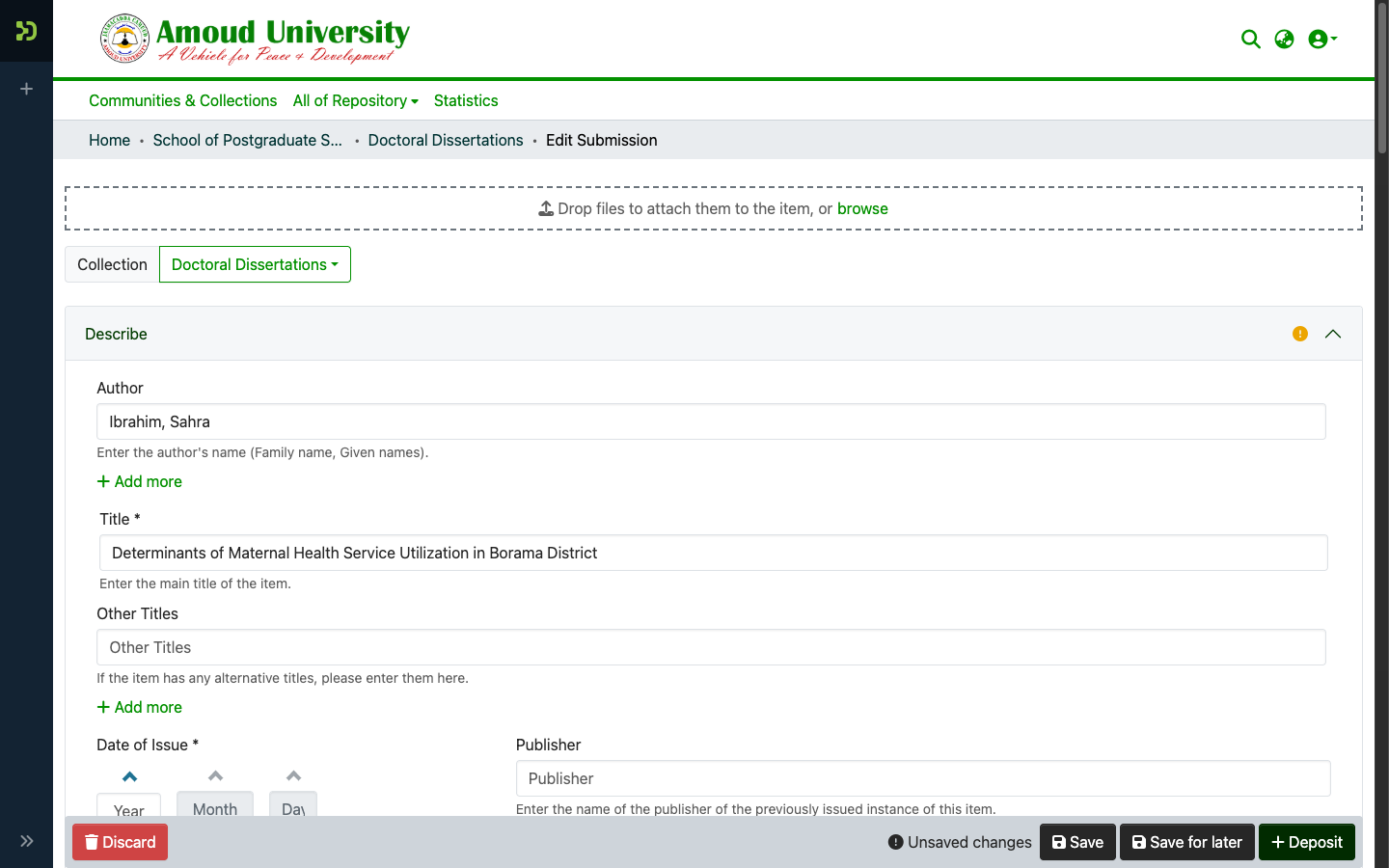
The main fields
| Field | What to put in it |
|---|---|
| Title | The full title of the work, capitalised normally. |
| Author(s) | One entry per author, last name and first name separate. Click Add for each extra author and keep them in the right order. |
| Date issued | The year (and month/day if known) the work was completed or published. |
| Type | What the item is — Thesis, Article, Report, and so on. |
| Language | The language of the work (e.g. English). Set this explicitly. |
| Subject / Keywords | A few terms readers might search for. Add several. |
| Abstract | A short summary. Paste the work's own abstract if it has one. |
The full field list
The fields you'll see on the Doctoral Dissertations form are: Author, Title, Other Titles, Date of Issue, Publisher, Citation, Series/Report No., Identifiers (ISSN/ISBN/etc.), Type, Language on the first page; Subject Keywords, Abstract, Sponsors, and Description on the second. Fill in everything you can — richer metadata makes the work easier to find and cite.
Postgraduate submissions: an extra step
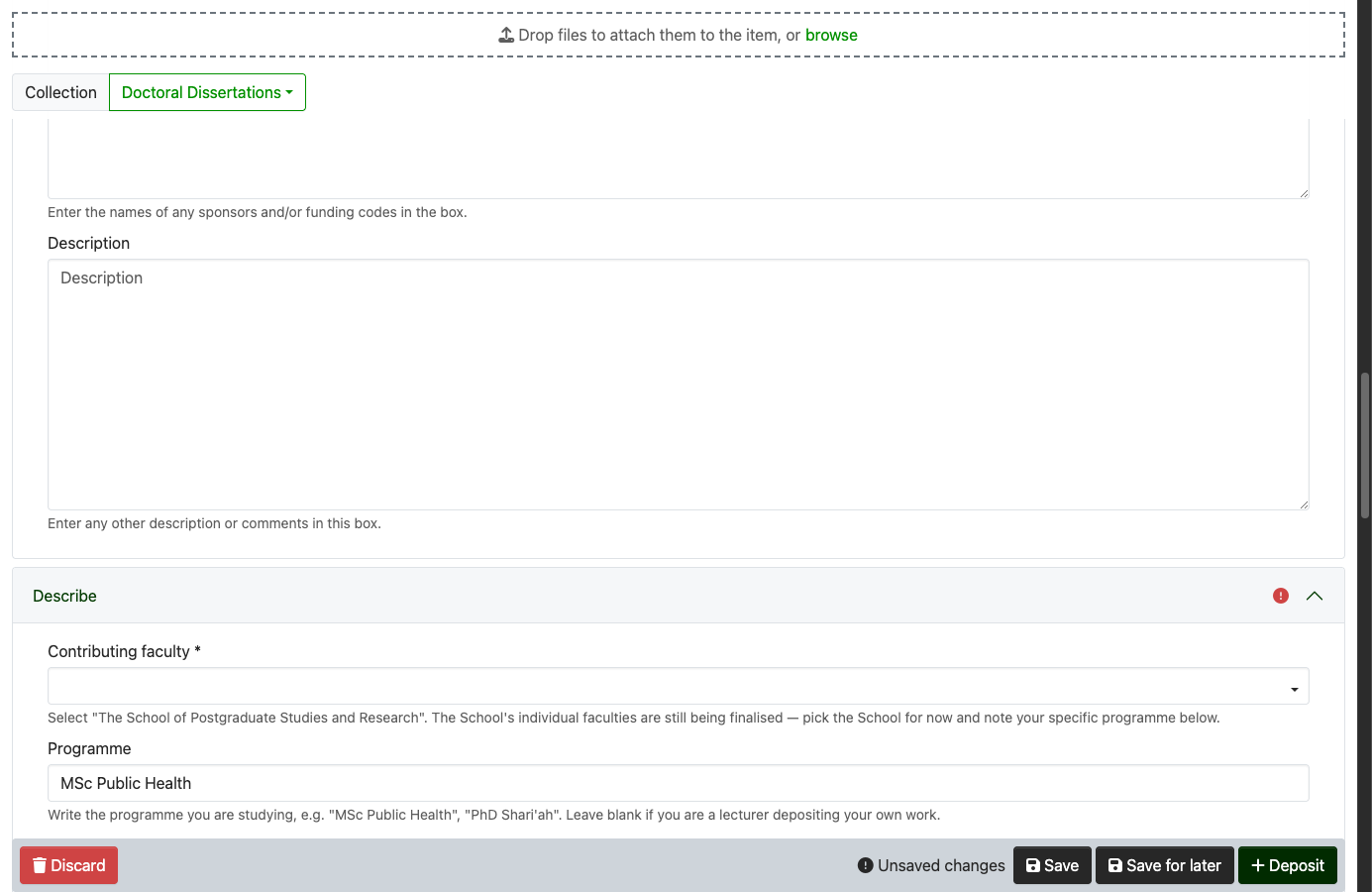
If you're depositing into a collection under the School of Postgraduate Studies & Research, the form adds a short extra Describe step:
- Contributing faculty (required) — select The School of Postgraduate Studies and Research. The School's individual faculties are still being finalised, so everyone picks the School for now.
- Programme (optional) — write the programme you're studying (e.g. MSc Public Health, PhD Shari'ah). Leave it blank if you're a lecturer depositing your own work.
Published elsewhere? Record the existing DOI
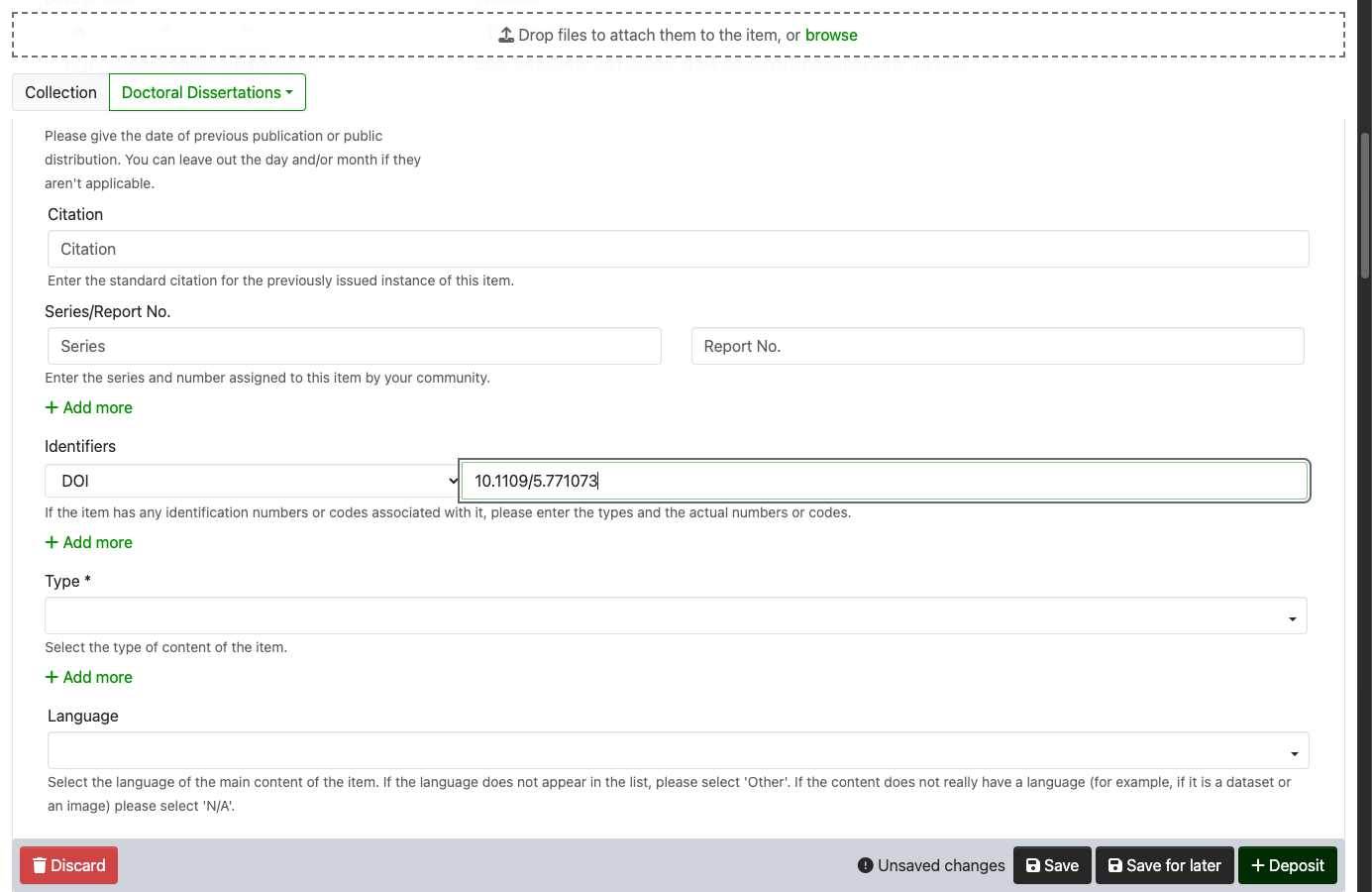
If the work already has a DOI from a publisher, the repository reuses it rather than
minting a new one. In the Identifiers field, choose DOI from the type dropdown and
paste the DOI value (e.g. 10.1109/5.771073).
Enter the bare DOI, not a web link
Type only the DOI itself — 10.1109/5.771073 — starting with 10.. Do not paste
the full web address (https://doi.org/10.1109/5.771073) or the old dx.doi.org form. The
repository builds the link for you from the bare DOI; a URL in this field will not be
recognised correctly.
Recording it here means no duplicate DOI is created when the item is approved. If you're not sure, just mention the DOI to your reviewer and they'll add it. See DOIs & ARKs explained.
Some Amoud classification is added by the RIC
A few extra fields aren't on the deposit form — college / school, version (Submitted / Accepted / Published), and SDG alignment. The RIC adds these when they review the item (or they're set during a bulk import), so you don't need to. To keep a file closed until a date, set that yourself on the file — see Embargo & access conditions.