Your profile & account
Once you're logged in, you can manage your own account from the profile page — update your details, change your password, and see which groups you belong to.
Open your profile
- Click the person icon (top-right) once you're logged in.
-
Choose Profile.
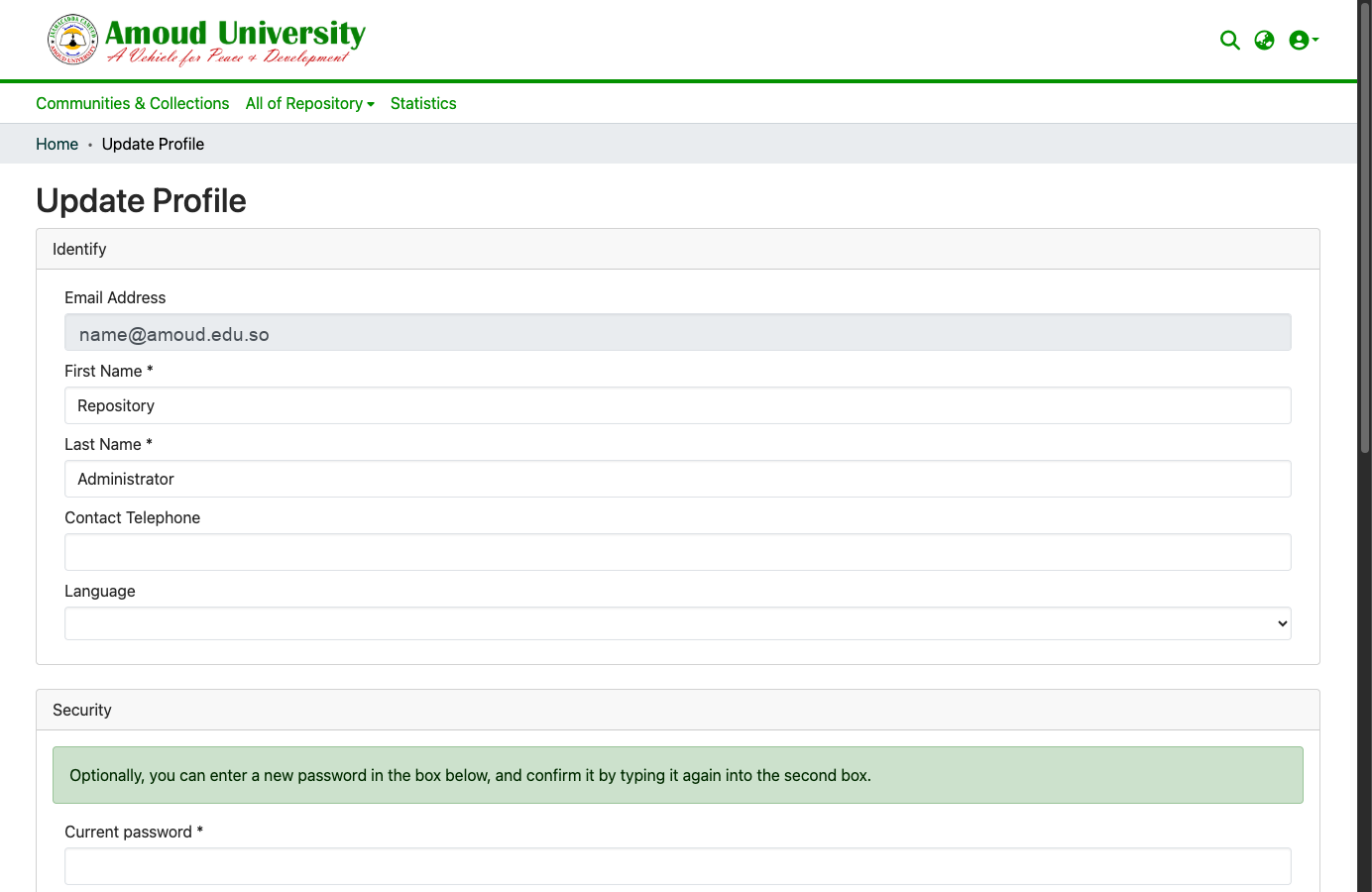
Update your details
In the Update Profile section you can change your:
- First name and Last name
- Contact telephone (optional)
- Language — the language the interface is shown in
Click Save to apply your changes.
Your email address can't be changed here
The email address on your account is fixed — it's your login. If you need it changed, ask ICT (see Contact & support).
Change your password
In the same page, under Security:
- Enter your current password.
- Type a new password, then retype it to confirm.
- Click Save.
Forgotten it instead?
If you can't sign in at all, don't use this page — use Forgot your password? on the login page to reset it by email.
See the groups you belong to
The Authorization groups you belong to list shows your current roles — for example a submit group for a collection, or a reviewer or administrator group. This is a read-only list; only an administrator can change your group membership (see Users & groups).