Embargo & access conditions
Sometimes a work can be listed publicly but its file must stay closed for a while — for example a thesis under embargo, or a paper a publisher only lets you share after a delay. The repository lets you set an access condition on each file you upload.
The record is always public; the file is what you control
Even when a file is closed, the item's description, metadata, DOI, and ARK stay public and citable. Access conditions only decide who can open the file, and when.
The four access conditions
When you upload a file (in the Files step of a submission), you choose how it may be accessed:
| Condition | What it means |
|---|---|
| Open access | Anyone can download the file immediately. This is the default and the goal for most work. |
| Embargo | The file is closed until a date you set, then opens automatically. Use this for theses or papers with a publisher hold. |
| Lease | The opposite of an embargo — the file is open until a date, then closes. |
| Restricted (administrators only) | Only administrators can open the file. Readers see the record and can request a copy (below). |
Set an embargo on a file
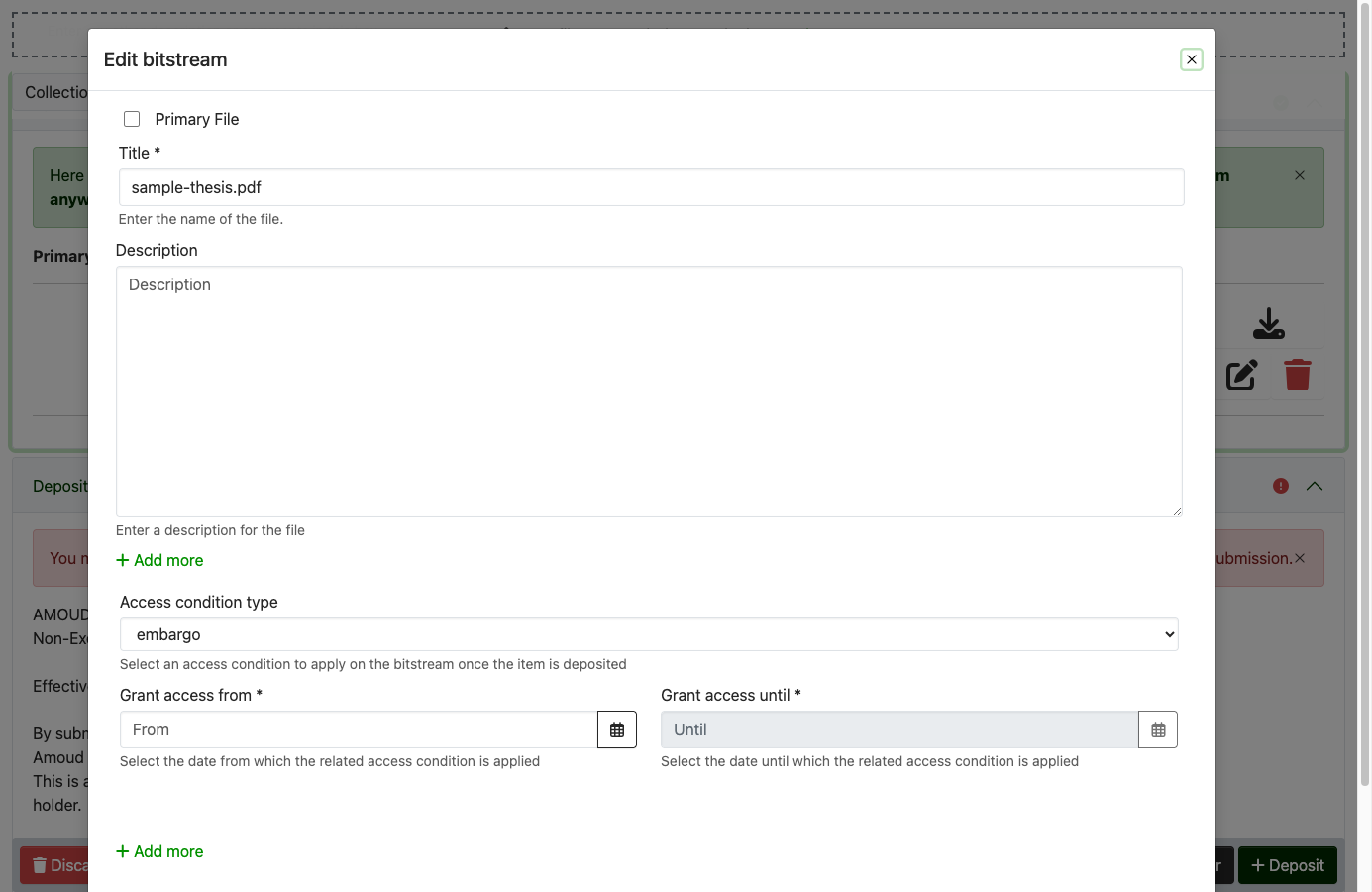
- In the submission's Files step, add your file, then click its Edit (pencil) to open the file settings.
- Under Access condition type, choose embargo.
- Set Grant access from — the date the file should open to the public.
-
Click Save, then finish and Deposit as usual.
Not sure which date to use?
Use the exact date your publisher or examiner requires the work to stay closed until. If you're unsure, set open access and tell your reviewer — the RIC can apply the embargo for you. lease and administrator (restricted) work the same way, chosen from the same dropdown.
An embargo is a promise to a date, not a secret
The item is still listed and indexed while embargoed — only the file is held back. Set the lift date to match the publisher's or examiner's actual requirement, and let the RIC reviewer know why at the copyright gate.
"Request a copy" for closed files
When a file is restricted (or still under embargo), readers see a Request a copy button instead of a download link. Clicking it sends a request to the people responsible for the item, who can then decide whether to share the file by email. This keeps closed work discoverable while respecting the restriction.