Before you start
Depositing means adding your own work to the repository so it can be found, cited, and preserved. Before you begin a submission, check the three things below.
1. An account that can submit
An account alone is not enough
Anyone can create an account and read the repository, but a new account cannot deposit. The Research & Innovation Centre (RIC) must add you to a group that has submit rights for your collection.
If you don't see a New submission option after logging in, you don't have submit rights yet. To request them, contact the RIC — see Contact & support — and tell them:
- your name and account email, and
- which faculty / department / collection you need to deposit into.
The RIC grants this in a moment (it's the Enable a depositor step on their side); there's nothing else to "activate" on your account.
2. Your file
-
The full text as a PDF is preferred. Prepare one main file per item, and know where it is saved on your computer so you can find it during the upload step.
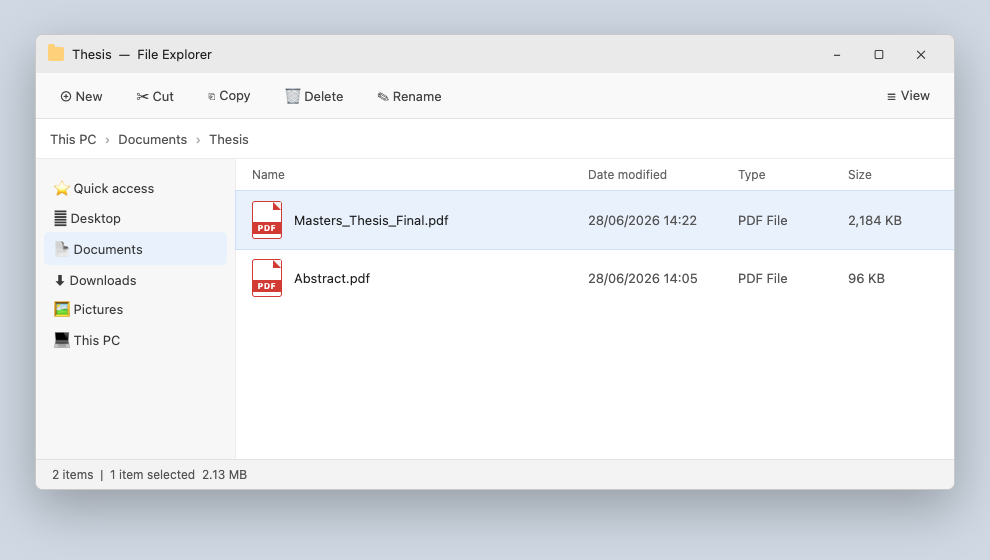
-
Make sure it is a version you are allowed to share publicly. If the work was published elsewhere (a journal, IEEE, Springer…), the publisher's PDF often cannot be shared — the author's Accepted Manuscript usually can. Your reviewer checks this at the copyright gate, so upload the right version from the start.
3. The item's details
Have these ready so the form goes quickly:
- Title
- Author(s) — full names, in the order they should appear
- Date issued (year, or full date)
- Type (thesis, article, report…)
- Language
- Abstract
- Keywords / subjects
Already published elsewhere?
Don't try to create a new DOI for it — the repository reuses the publisher's DOI and never mints a duplicate. Have the existing DOI ready: on the form you enter it in the Identifiers field (choose DOI as the type). See The metadata form and the copyright gate.